
Restaurant Photography for Menus: What Works in 2025
Quick navigation:
The Evolution of Restaurant Photography in the Digital Age
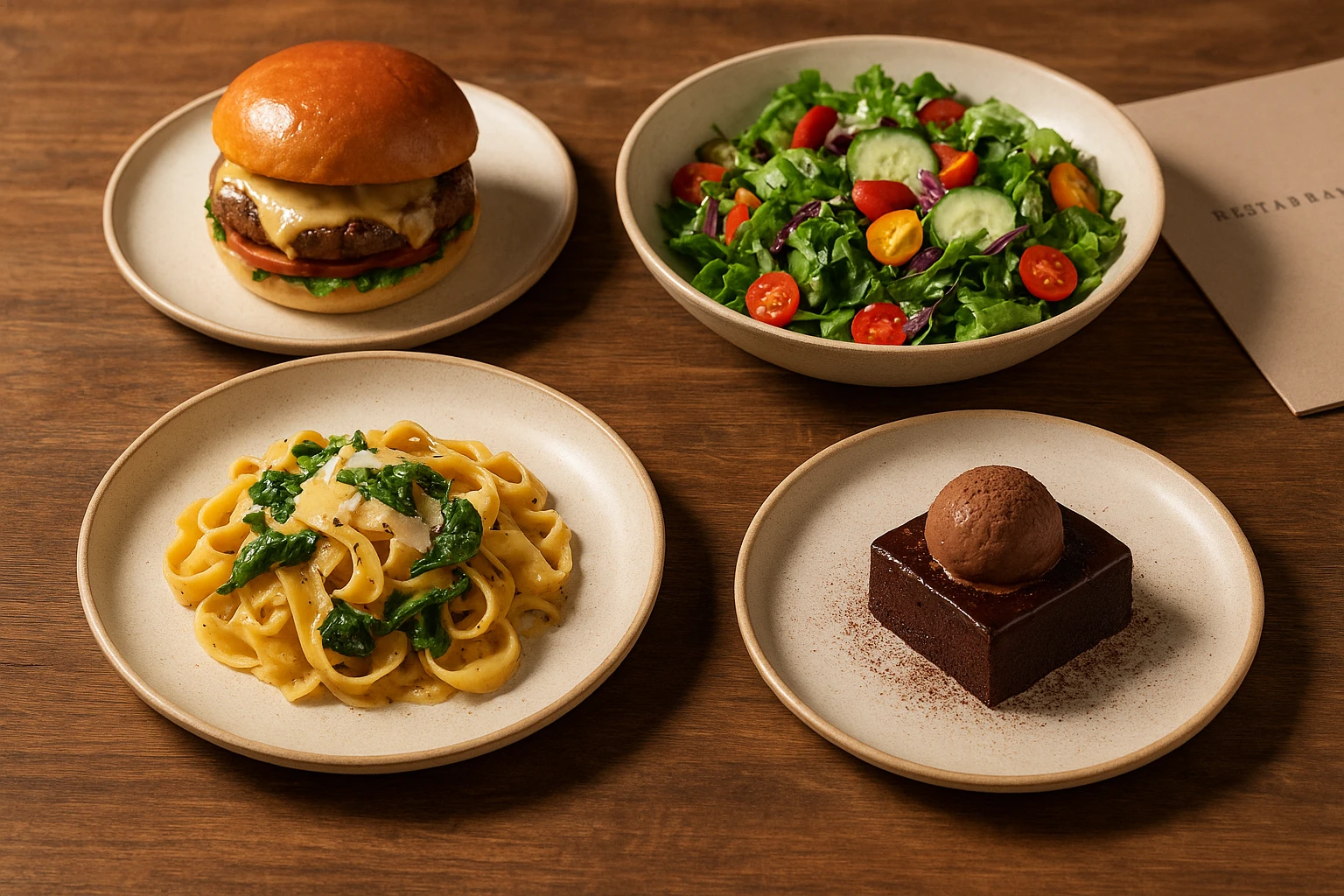
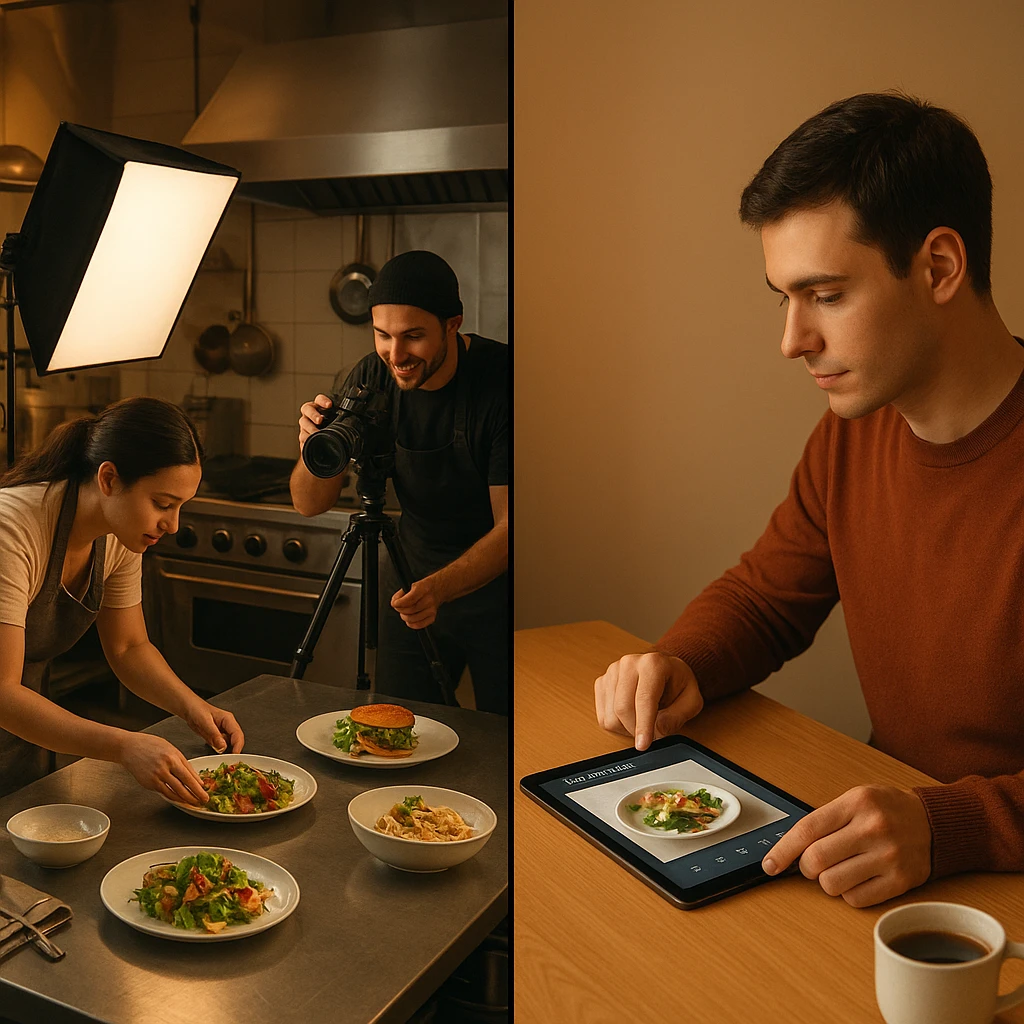
Menu photography has transformed dramatically over the past decade. Hiring professional photographers and scheduling studio time once cost thousands per session. Now, AI-powered platforms make quality imagery accessible to restaurants of all sizes. This shift goes beyond convenience. Restaurants must stay competitive in a visual digital marketplace. Customers make ordering decisions in milliseconds based solely on image quality.
The delivery app revolution accelerated this transformation. DoorDash’s engineering team built an AI-powered photography service after recognizing a key insight. Merchant success directly correlates with photo quality. Their data proved that restaurants with professional imagery see higher order volumes and customer retention. This validation from major platforms elevated food photography from optional expense to operational necessity. You can explore DoorDash’s technical approach in their engineering blog at https://doordash.engineering/2022/07/26/ai-powered-on-demand-photography-service-for-local-restaurants/.
According to Toast’s guide on food photography at https://pos.toasttab.com/blog/on-the-line/restaurant-food-photography, diner expectations have evolved with technology. Customers scrolling through delivery apps compare every image against professional food media. Restaurant owners who recognize this shift invest accordingly. They treat imagery as core to their product experience rather than supplementary marketing.
AI-powered solutions like Yummify have democratized access to professional-quality imagery. Restaurants can now generate styled menu photos in minutes rather than weeks. This makes it feasible to photograph entire menus rather than just signature dishes. Smaller establishments can now compete visually with chains that have long invested in professional photography budgets.
Key Evolution Milestones:
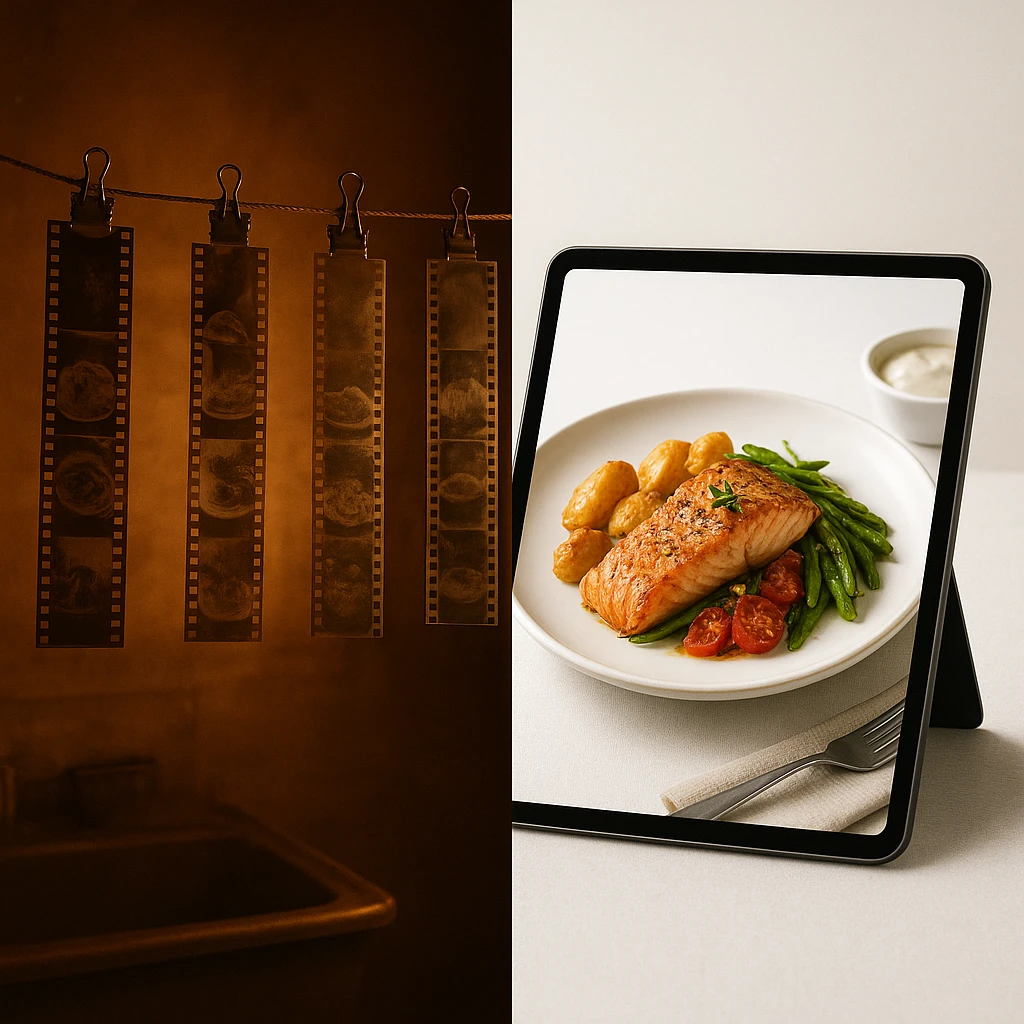
| Era | Primary Approach | Typical Cost | Turnaround Time |
|---|---|---|---|
| Pre-2010 | Film photography, darkroom processing | $500-1000 per session | 2-4 weeks |
| 2010-2018 | Digital DSLR, Photoshop editing | $300-600 per session | 1-2 weeks |
| 2018-2023 | Smartphone + editing apps | $50-150 per dish (DIY) | Hours per image |
| 2024-2025 | AI-powered platforms | Subscription-based credits | Minutes per image |
This table shows the dramatic transformation in restaurant photography.
This evolution represents more than cost savings. It enables visual strategies that were previously impossible. A/B testing different image styles is now practical. So is updating seasonal items weekly rather than quarterly. Maintaining absolute consistency across dozens of locations is finally achievable for restaurants of any size.
Essential Image Specifications for Platforms and Apps
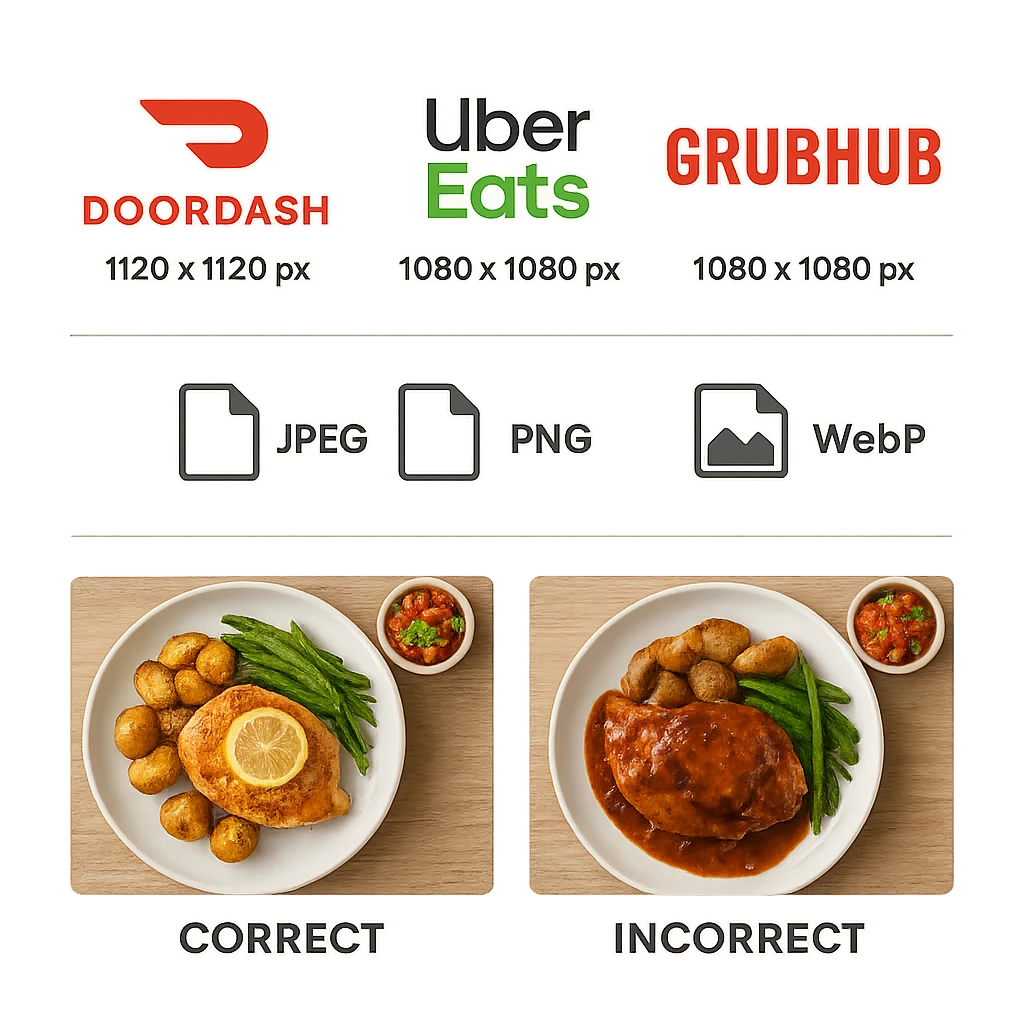
Each delivery platform maintains distinct technical requirements. These directly impact image acceptance and display quality. Understanding these specifications prevents rejections. It also ensures your menu photos appear optimally across all customer touchpoints. The major platforms have converged around some standards. However, key differences remain that affect preparation workflows. Detailed guidelines are available from DoorDash at https://help.doordash.com/merchants/s/article/Photo-Menu-Quality-Guide and UberEats at https://merchants.ubereats.com/us/en/resources/learning-center/menu-photo-guidelines/.
DoorDash requires minimum dimensions of 1120x1120 pixels. They recommend 2000x2000 pixels for optimal display across devices. They accept JPEG and WebP formats with a 10MB maximum file size. Their guidelines emphasize bright, even lighting and clear focal points. Dark, blurry, or poorly composed images trigger rejection during review.
UberEats maintains similar baseline requirements (minimum 1120x1120px, JPEG/PNG/WebP accepted). However, they place additional emphasis on authenticity. Their guidelines explicitly prohibit stock photography and heavily filtered images. This distinction matters when using AI-generated imagery. Your dish images must accurately reflect portion sizes, ingredients, and presentation that customers receive.
Grubhub and other platforms follow similar technical standards. However, review strictness and quality assessment vary. Images that pass automated dimension checks might still face rejection. Composition, lighting quality, or perceived authenticity can trigger issues. This variation makes consistent base specifications strategically efficient. You can upload the same assets everywhere rather than creating platform-specific versions.
Platform Specifications Quick Reference:
| Platform | Min Dimensions | Max File Size | Accepted Formats | Key Considerations |
|---|---|---|---|---|
| DoorDash | 1120x1120px | 10MB | JPEG, WebP | Bright lighting, clear focal point required |
| UberEats | 1120x1120px | 5MB | JPEG, PNG, WebP | No stock photos, authentic representation |
| Grubhub | 1080x1080px | 8MB | JPEG, PNG | Review process varies by region |
| Yelp | 1200x900px | 10MB | JPEG, PNG | Customer-reviewed for authenticity |
| 1080x1080px | 30MB | JPEG, PNG | Aspect ratio flexibility (1:1 to 4:5) |
These specifications help ensure your images meet each platform’s requirements.
Beyond platform requirements, consider your own digital properties. Your website menu, social media profiles, and in-store displays all benefit from consistent specs. Many restaurants standardize on 2000x2000px square JPEGs. This is the highest common denominator across platforms. Single-source imagery works everywhere with this approach. It reduces file management complexity while maintaining quality at every touchpoint.
When using AI generation platforms, specify these technical requirements upfront. Branded environments should generate images that meet or exceed the strictest platform specs. This prevents rework. It also allows immediate deployment across all channels without manual resizing.
Visual content workflows that bake in these specifications from the start save significant time. This beats retrofitting existing assets. The minor additional storage costs for higher-resolution files pay dividends in flexibility. You also gain future-proofing as platforms inevitably update their requirements.
Maintaining Consistency Across Your Visual Brand
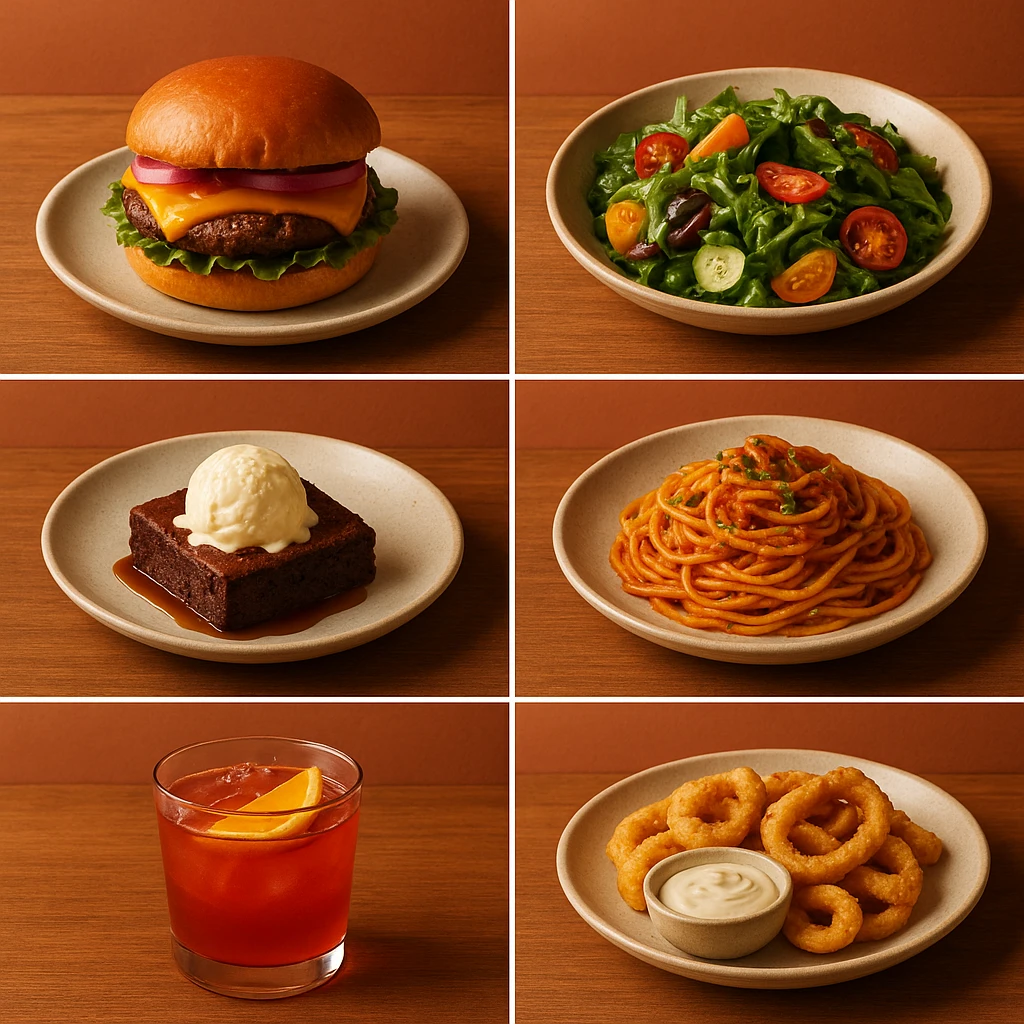
Visual consistency separates professional establishments from amateur operations. When food shots vary dramatically across menu items, problems arise. Some images appear bright and minimalist. Others look dark and moody. Still others seem to come from completely different brands. This variation creates subconscious confusion about quality and reliability. Consistency signals attention to detail. Customers associate this with better food and service.
For multi-location restaurants, chains, or franchises, consistency becomes even more critical. A customer who orders from Location A on Monday should encounter the same visual brand at Location B on Friday. This consistency builds trust. It sets accurate expectations across the entire operation. Inconsistent imagery suggests that food quality might also vary. This is exactly what customers fear when trying a new location.
Branded environments provide the technological solution to this challenge. Define your visual DNA once: lighting preferences, color palette, aesthetic mood, background elements, and styling approach. Every generated image then adheres to the same standards. It doesn’t matter who creates it or when. A regional Mexican restaurant chain might establish a “Rustic Cantina” branded environment. This includes warm terracotta tones, natural sunlight simulation, and traditional textile elements. When any location generates new restaurant photography item photos, they simply apply this pre-configured environment.
Consistency Checklist Across Brand Touchpoints:
-
Color Harmony: All images use compatible color palettes that match your brand identity (same background tones, complementary accent colors, consistent white balance)
-
Lighting Quality: Uniform lighting approach across all items (natural light simulation vs. studio lighting, same directionality and shadow treatment)
-
Surface & Background Materials: Consistent use of brand-aligned surfaces (wood, stone, linen, ceramic) rather than random props that vary by image
-
Camera Angle & Perspective: Standardized shooting angles (45-degree overhead, straight-on, top-down) applied systematically by category
-
Styling Density: Similar level of prop usage and garnish complexity-avoiding some images looking minimalist while others appear cluttered
-
Scale & Proportion: Consistent food-to-frame ratio so portion sizes appear comparable across similar menu categories
-
Post-Processing Style: Uniform treatment of color saturation, contrast, and sharpening across the entire image library
This systematic approach eliminates “brand drift.” This happens when different people make independent subjective decisions over time. Without enforced consistency standards, brand imagery naturally fragments. A little brighter here, a different background there. It gradually diverges from the original aesthetic until it no longer resembles your established brand.
AI platforms accelerate consistency enforcement through reusable templates. Traditional photography requires communicating aesthetic preferences to each photographer. You then rely on their interpretation to match previous work. Even with excellent reference images and detailed briefs, variations occur. AI branded environments apply the same restaurant photography parameters mathematically. They produce objectively consistent results regardless of timing or volume.
Consider implementing a visual style guide document. It should specify consistency standards for anyone creating menu imagery for your brand. Include example images that demonstrate your ideal aesthetic. Also add “do not use” examples showing what to avoid. This resource becomes valuable as your team grows or when working with external agencies.
Regular audits ensure consistency standards remain in practice. Schedule quarterly reviews of all new imagery added since the last audit. Check for alignment with your established brand visual standards. Remove or regenerate any outliers before they proliferate across your digital properties.
Using AI Workflows for Seasonal Menu Updates
Seasonal menu updates traditionally required extensive planning and lead time. Restaurant owners scheduled photographers weeks or months in advance. They coordinated with food stylists and prepared ingredients during off-hours. Then they waited through editing and retouching. This extended timeline meant many restaurants skipped seasonal photography entirely. They missed promotional opportunities when seasonal items drive maximum interest and revenue.
AI-powered restaurant photography menu workflows compress this timeline from weeks to hours. They also enable comprehensive coverage that was previously impractical. Restaurants can now generate professional imagery for entire seasonal menus. This includes everything from appetizers through desserts. No budget constraints or scheduling logistics get in the way. This approach allows complete seasonal storytelling rather than highlighting a few token dishes.
Traditional vs. AI Workflow Comparison:
| Phase | Traditional Process | AI-Powered Process |
|---|---|---|
| Planning | 2-3 weeks advance scheduling | Generate on-demand when needed |
| Photography | 4-8 hour on-site shoot | Upload reference photos or text prompts |
| Talent Coordination | Photographer + stylist + food prep | Single operator, no scheduling |
| Sample Preparation | Cook full dishes for shoot | Use simple reference photos |
| Editing & Retouching | 1-2 weeks post-production | Minutes automated processing |
| Iteration/Revisions | Limited reshoot budget | Unlimited regeneration with variations |
| Total Cost | $1,500-4,000 per session | Subscription credits (predictable monthly) |
| Total Timeline | 3-4 weeks | Same day |
AI workflows dramatically reduce both time and cost for restaurant menu photos.
This compressed timeline enables truly seasonal marketing strategies. Restaurants no longer need to launch fall menu items in August because of photography scheduling. They can launch imagery the same week ingredients become available. Being first to market with seasonal offerings provides a promotional advantage. Competitors wait for traditional photography logistics while you capture customer engagement and incremental revenue.
AI workflows also facilitate rapid iteration and A/B testing. Generate multiple style variations for the same seasonal item. Test which aesthetic resonates best with your audience. Does your pumpkin spice latte sell better styled as cozy and rustic, or bright and modern? Generate both options and let customer response data inform your visual strategy. This empirical approach was previously accessible only to large chains with substantial marketing budgets.
Step-by-Step AI Seasonal Menu Workflow:
-
Audit New Seasonal Items: List all menu additions requiring photography (not just signature items)
-
Create/Select Branded Environment: Choose existing branded environment or create seasonal variant (e.g., “Summer Fresh” with bright natural light and citrus accents vs. “Winter Cozy” with warm tones and comfort food styling)
-
Capture Reference Photos: Photograph each dish quickly using available light-focus on accuracy rather than aesthetics since AI will handle professional styling
-
Generate Image Variations: Process reference photos through AI platform, generating multiple style options for each item if testing different approaches
-
Review & Select: Choose preferred variations, regenerate any that don’t meet standards (unlimited iteration advantage)
-
Quality Upgrade Final Selections: Upgrade only the best-performing images to higher resolution for final deployment
-
Deploy Across Channels: Upload simultaneously to website, delivery platforms, and social media-all specifications already built into generation parameters n
-
Monitor Performance: Track engagement and conversion data. Use this information to inform future seasonal campaigns. It also helps you refine your branded environments over time.
This workflow transforms seasonal photography from major production into routine task. Restaurant teams update visual content as confidently as they update text menus. Imagery is no longer a special project requiring external expertise and significant budget allocation.
For restaurants with extensive seasonal menus or frequent LTO rotations, AI workflows make comprehensive imagery practical and affordable. You no longer choose which new items “deserve” professional food shots. Every menu addition receives polished, on-brand visual treatment. This drives customer interest and orders.
Menu Psychology and Strategic Visual Placement
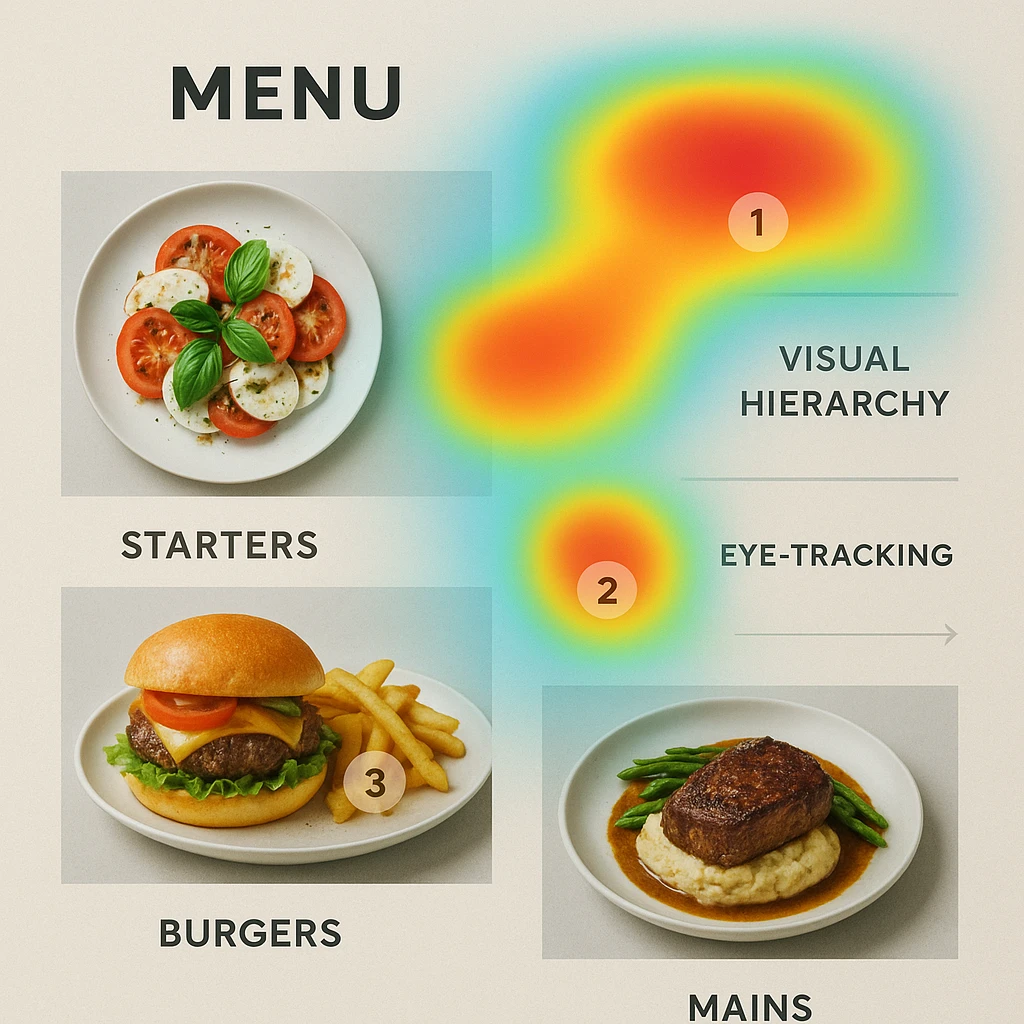
Menu psychology research demonstrates that image placement directly influences customer choices. Strategic visual positioning within menu layouts can increase sales of featured items by 15-30%. This beats text-only listings or poorly positioned images. This measurable impact transforms food menu design from aesthetic consideration into revenue optimization tool. It deserves systematic planning rather than haphazard image placement.
The “sweet spot” concept in menu engineering refers to prime visual real estate. Customers’ eyes naturally gravitate to these areas first. Research shows the upper-right quadrant of traditional menus receives disproportionate attention. The same applies to the top row of digital interfaces. Place highest-margin items in these positions with compelling imagery. This creates visual anchors that drive ordering decisions before customers evaluate all options.
Visual Hierarchy Principles for Menu Layout:
-
Primary Position (First Look): Place signature items or highest-margin dishes here with large, high-quality images. These items receive disproportionate attention simply by being first and most prominent visually.
-
Secondary Position (Scanning Pattern): After initial focus, customers typically scan in an F-pattern or Z-pattern depending on menu format. Position supporting items with complementary imagery along these natural scanning paths.
-
Category Headers: Use images strategically to break menu sections visually. A well-placed photo can serve as visual anchor. It draws attention to entire category rather than individual item.
-
Size Variation: Not all images need equal size. Larger images signal importance and create visual hierarchy-reserves this treatment for items you specifically want to promote.
-
Grouping Effects: When multiple items within a category feature images, the grouped visual effect draws more attention than scattered images throughout menu. Consider photographing entire categories or none rather than inconsistent coverage.
-
Negative Space: Images surrounded by adequate white space stand out more than crowded layouts where visual elements compete for attention. Let your best food imagery breathe.
Delivery apps present unique visual hierarchy challenges and opportunities. Unlike traditional menus, you cannot control complete layout. Delivery platforms display images within constrained templates. This limitation makes image quality absolutely critical. You cannot compensate through layout design. The thumbnail image becomes your primary differentiator. Compelling dish images are the only tool available to make items stand out within platform interfaces.
WebstaurantStore’s research on menu psychology at https://www.webstaurantstore.com/article/53/menu-psychology-the-science-of-menu-engineering.html highlights a key finding. Descriptive menu labels increase sales by 27% compared to generic item names. When combined with high-quality visuals, this effect compounds. Visual appeal plus evocative description creates powerful persuasion. Consider both elements together rather than treating text and imagery as separate concerns.
Strategic Image Placement by Menu Type:
| Menu Format | Best Image Placement | Key Considerations |
|---|---|---|
| Traditional Printed | Upper-right quadrant, center spread | Print production costs limit image quantity |
| Digital/Web | Above fold, first screen without scrolling | Load speed matters-optimize image file sizes |
| QR Code Menus | Top row, category headers | Mobile-optimized dimensions essential |
| Delivery Apps | First 2-3 items per category | Platform constraints limit customization |
| Kiosk/Self-Service | Large prominent images for combo deals | Touch interaction changes viewing patterns |
Understanding these placement strategies helps maximize visual impact.
Price anchoring effects also interact with visual presentation. Placing a high-quality image alongside premium items creates visual justification for elevated prices. Customers see the value proposition rather than comparing solely on cost. Conversely, value items can be presented attractively without premium visuals. This signals their accessible pricing position. Every image placement decision should consider its psychological effect on price perception.
Seasonal and promotional items benefit from temporary visual prominence. Featured images draw attention during specific campaigns. They can then be replaced or integrated into standard positioning. This flexibility allows ongoing menu optimization without permanent layout commitments. AI-powered generation makes rotating featured imagery practical. New restaurant photography visuals are always available on demand rather than requiring new photoshoots for each promotional period.
Regular analysis of sales data by item position and image presence reveals what works. A/B test different image placements. Move a high-performing item to different positions. Add or remove visuals from specific listings. Track how changes affect ordering patterns. This empirical approach moves beyond general menu psychology to data-driven optimization specific to your restaurant.
Next steps
Ready to transform your menu imagery without the traditional hassle? Yummify’s AI-powered platform helps you generate consistent, professional food shots in minutes. Create branded environments that ensure visual consistency across your entire menu. This includes signature items, seasonal additions, and limited-time offers. Start with a few images to test quality and results. Then scale to complete menu coverage as your business grows. Professional results, predictable subscription pricing, and unlimited iterations mean you never settle for less-than-perfect menu photos. Visit Yummify today to discover how accessible professional food imagery has become.
FAQ
What resolution should my menu photos be for delivery apps?
Aim for 2000x2000 pixel square images as your standard. This exceeds DoorDash and UberEats minimum requirements (1120x1120px). It ensures optimal display quality across all devices. The extra resolution provides flexibility for future platform updates. Quality holds up when viewed on larger screens. JPEG format at 80-90% quality balances file size with visual fidelity. This keeps files under 10MB while preserving appetizing details.
How often should I update my menu photos?
Update visuals whenever menu items change significantly. This includes seasonal additions, recipe improvements, or presentation upgrades. Quarterly reviews ensure your imagery remains current and accurate. With AI workflows, there’s no logistical penalty for frequent updates. Generate new dish images promptly rather than waiting for major menu overhauls. Delivery platform algorithms favor regularly refreshed content. This gives you discovery benefits beyond just having accurate visuals.
Can I use the same food photos across multiple delivery platforms?
Yes, absolutely. Creating imagery that meets the strictest platform specifications allows seamless deployment. Standardize on 2000x2000px JPEG images. They work everywhere without modification. This approach significantly reduces file management overhead. Just ensure each image accurately represents what customers receive. Platforms increasingly enforce authenticity standards and reject misleading visuals.
What’s the difference between professional menu photography and regular food photos?
Professional food imagery prioritizes commercial appeal and consistency over artistic expression. These images must work within platform constraints. They need to load quickly and communicate value clearly. They must match your brand aesthetic across dozens of items. Regular food photography might prioritize artistic composition or experimental styling. These approaches often backfire in commercial contexts. Customers make split-second decisions, so clarity and consistency matter more than creativity.
How much does professional food photography cost compared to AI generation?
Traditional professional shoots run $150-300 per dish. Full menu photography costs $3,000-6,000 and requires 3-4 weeks. AI-powered platforms like Yummify use subscription credits. This typically costs $5-15 per image depending on volume and quality tiers. Beyond direct costs, consider time savings. Same-day generation beats weeks of coordination. You can also iterate infinitely with AI versus limited reshoot budgets. For most restaurants, the cost difference is 10-20x while quality meets practical needs.
Do I need a professional photographer for any of my menu images?
AI handles 90% of typical food imagery needs. This includes menus, social content, delivery platforms, and marketing materials. However, reserve professional photographers for signature hero shots. Use them for major campaigns, website headers, or press materials. Many restaurants use this hybrid approach. AI handles volume and iteration. Professional photographers shoot prestige items. This strategy optimizes both budget and output quality.
How do I ensure my AI-generated food photos look authentic?
Start from reference photos of your actual dishes rather than generating solely from text prompts. This grounding in reality ensures portion sizes, ingredients, and presentation match what customers receive. Use branded environments that align with your restaurant’s actual aesthetic. Avoid aspirational styling that creates unrealistic expectations. Excessive editing that misrepresents the dining experience can backfire. Delivery platforms increasingly reject or penalize accounts with misleading visuals.
Related posts
15 Creative Food Photography Ideas to Make Your Dishes Stand Out
Discover creative food photography ideas to make your dishes stand out. Learn action shots, deconstructed dishes, unique angles, storytelling, and AI tools for stunning food visuals.
Beyond Burgers: AI Food Styling for Diets and Cuisines
Use AI food styling to create accurate vegan, gluten-free, halal, kosher, and global cuisine photos that convert across delivery apps, QR menus, and social.
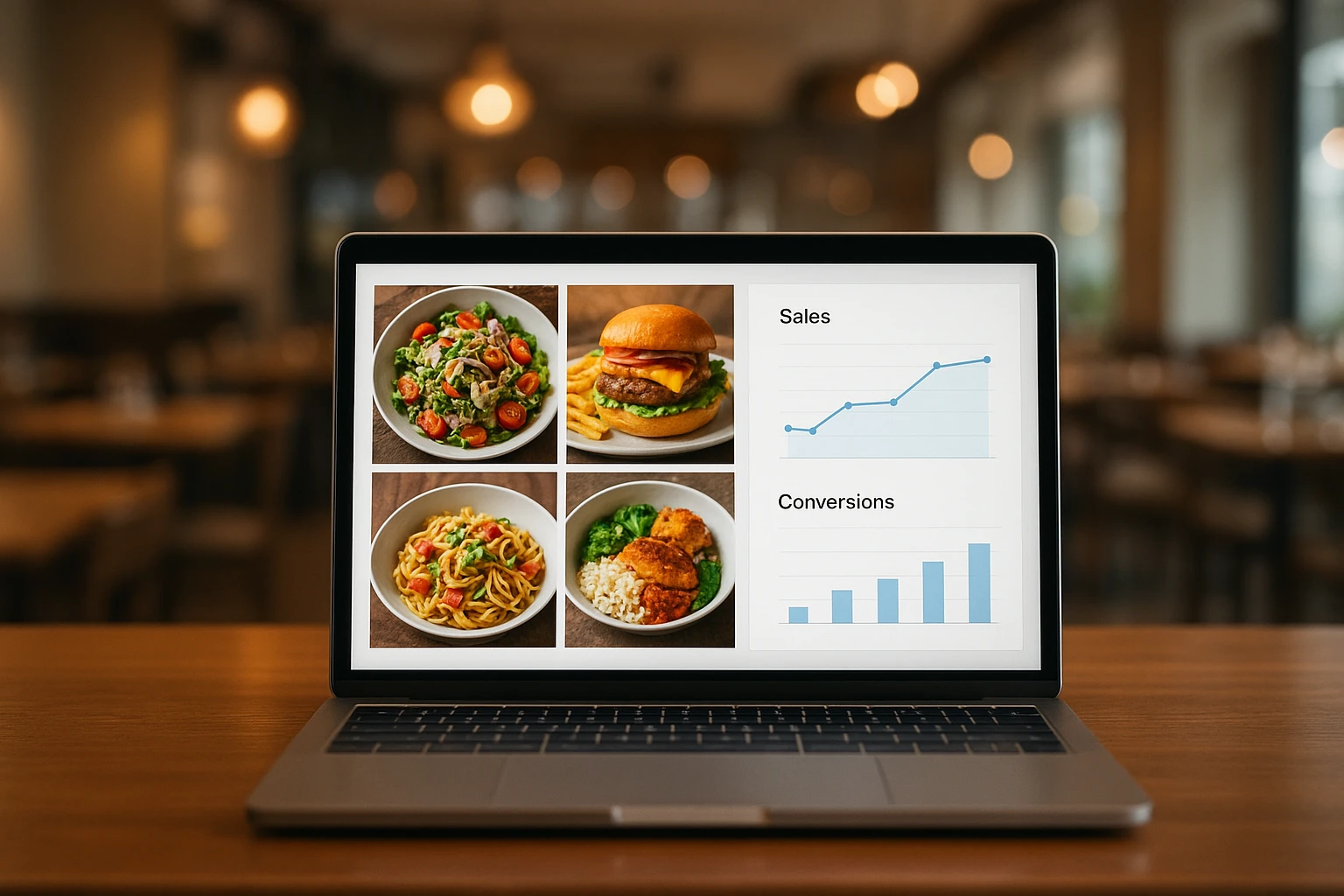
Close the Loop: Tie Food Imagery to Analytics and Sales
Stop guessing which food photos work. Learn a simple workflow to tie Yummify images to analytics, A/B test visuals, and promote only the photos that actually sell.